POS Tip Features vs. Dedicated Tip Distribution Software: Which Is Better?
POS tip features and dedicated tip software should be compared using the same reviewed shifts, corrections and payroll handoff.
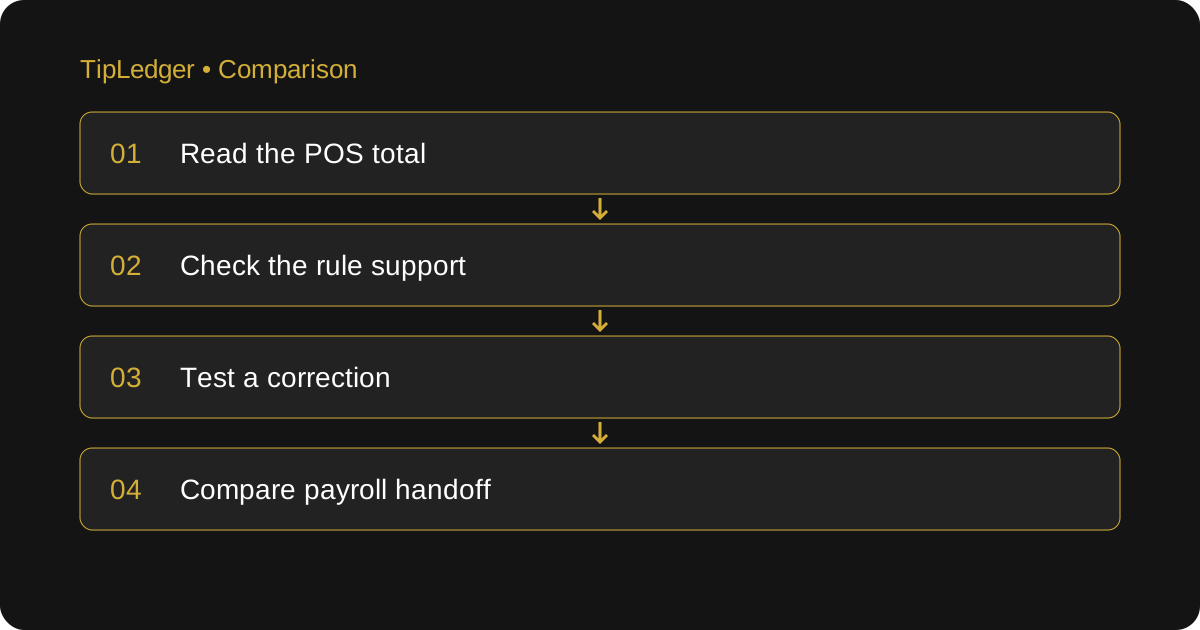
Compare the actual workflow, not the product category
POS tip features handle tips inside a point-of-sale system; dedicated tip software handles the calculation in a separate workflow. A POS records sales and payments, but its tip features depend on the product and configuration. Some restaurants can manage their tips within the POS; others need a separate calculation and review process. Do not assume every POS lacks pooling or that every dedicated tool has a direct integration. List the tasks you need and test the systems you are actually considering.
The useful question when comparing POS and dedicated tip software is where a number becomes an approved employee share. Follow one shift from payment through the source report, contribution calculation, distribution, employee explanation and payroll handoff. Mark every point where someone copies data or makes a decision. That map shows what an additional tool would replace and what work would remain.
What to check in your existing POS
Start with the report you use at close. Check whether it separates charged tips, cash declarations and other amounts that payroll needs. Confirm the business-day cutoff and whether staff roles and hours are captured accurately. Ask whether a correction after close changes the original report or creates a new version. Keep the original source so you can explain a later difference.
Then inspect the tip rules available in your current plan. Can the POS represent your contribution basis, eligible roles, percentages or points and partial-shift hours? Can a manager review the calculation? Ask about the employee view and export layout. A feature name such as “tip management” does not tell you which of these steps is supported. Use an actual reviewed shift to find out.
A sample that separates collection from distribution
The $600 charged-tip calculation below is an illustration, not a customer example or a suggested legal policy. Assume the POS shows $600 in charged tips for a reviewed shift. Under a separately approved restaurant policy, an eligible support pool receives $120. Two eligible support staff worked six and four pool hours. Ten total hours divide $120 into shares of $72 and $48. The remaining $480 belongs in the other approved distribution records.
A source report showing $600 is useful, but it does not by itself explain the $72 and $48 shares. If your POS already makes that calculation and records its basis, check the result there. If a manager must calculate it elsewhere, that is the gap a separate workflow may fill. Keep the $600 source, $120 contribution and individual shares connected so you do not accidentally count the same tips twice.
Now change one input: the employee recorded with four hours actually worked five eligible hours. The support pool still totals $120, but the denominator becomes eleven. Both shares change. Test whether the system recalculates the whole pool, preserves the correction history and identifies reports that need replacing. This is more informative than comparing a polished dashboard on a quiet sample shift.
What a dedicated tool may add
A dedicated workflow may offer clearer role-based calculations, shift review, employee breakdowns and exports. Verify each capability in the product you are testing. Ask which inputs it receives automatically and which a manager enters. A tool can save arithmetic while adding data entry, so count both parts when you compare the process.
TipLedger calculates from numbers managers enter or import themselves. Its daily workspace supports shift types, review and locking; reports roll up tips and shifts for a manual CSV download. There is no live POS connection and no direct payroll-provider integration. It does not transfer tip payments, run payroll or calculate taxes. Use it when those boundaries fit the job you need done, rather than assuming the word “software” means every handoff is automatic.
Compare the difficult shifts in both systems
Test a lunch-and-dinner double shift, an employee changing roles, someone leaving early and a zero-tip shift. Check whether hours belong to one pool or separate pools under the approved policy. Inspect cents that do not divide evenly. Missing data should be flagged for review instead of being treated as a confirmed zero.
Also test permissions and corrections. Who can change a rule after a shift is approved? Can an owner identify who edited the record and when? Can an employee see their own breakdown without seeing colleagues’ private information? In TipLedger, employee access is read-only through a manager-provided name code and PIN, and managers control how much detail appears. The audit trail is for owners and admins, not an independent audit.
Decide whether another system is worth maintaining
If the POS already reproduces the approved policy, explains employee shares and produces a usable payroll handoff, keeping one system may be simpler. If managers maintain a second spreadsheet because the available POS workflow cannot represent important rules or corrections, test whether a dedicated tool replaces that spreadsheet completely. Do not assume any additional subscription will pay for itself within a set time.
For a fair comparison, measure a representative period in both workflows. Count entry time, review time, corrections and export preparation. Record unexplained differences and the manual steps still required. Compare subscription and any integration or payout costs with the actual work removed. Keep a copy of each reviewed result so the payroll preparer can confirm whether the final handoff is usable.
Keep policy and payment responsibilities clear
Whichever system you choose, have eligible roles, deductions and service-charge treatment checked against the rules that apply to the restaurant. Software settings cannot decide those questions for you. Keep the effective policy date and source reports with the reviewed records. Make one person responsible for the final payroll handoff and a clear process for late corrections.
The choice is not automatically POS or dedicated software. It is whether the combination you use can turn a source total into explainable employee shares without losing the record along the way. Keep a system that does that reliably; add another only when you can show the specific gap it closes and how the two sets of records will reconcile.
Sources and further reading
- Square: Set up tip pooling
A real POS vendor’s supported pooling methods and eligibility settings to compare with your own workflow.
- U.S. Department of Labor: Recordkeeping (Fact Sheet 21)
Primary guidance on the hours, pay and supporting records behind the shift review.
- IRS: Reporting Tip Income (Publication 531)
Primary guidance on daily tip records, cash and charged tips, and tip reporting.
Ready to simplify your tip distribution?
Try TipLedger free for 30 days. No credit card required.
Start Your Free Trial