Streamlining Payroll Prep: Tips for Restaurant Managers
Review shift totals, reconcile employee shares and prepare a manual CSV handoff to the person running payroll.
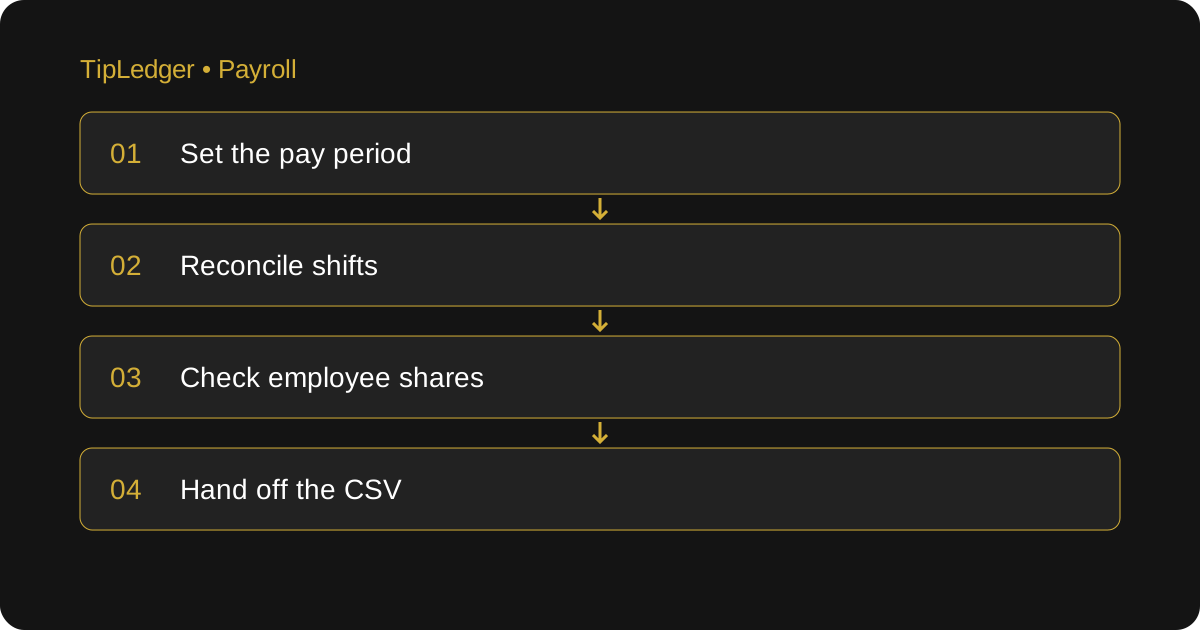
Make the handoff a review, not a reconstruction
Restaurant payroll prep starts before payroll day. If shift tips, declared cash and hours are collected in different places, the person preparing payroll has to work out which version is current. A cleaner process keeps source reports, reviewed shift records and the final handoff separate but connected. That makes it possible to trace a weekly total back to the shift that produced it.
TipLedger prepares tip and shift reports and provides a CSV download. It does not run payroll, calculate or file taxes, or connect directly to ADP, Paycor, Gusto or another payroll provider. You download the report and import it where supported or re-key the figures. Confirm the provider’s required fields before deciding that a CSV is ready to use.
Define the period and the owner
Write down the payroll period’s start and end dates, the restaurant’s business-day cutoff and the deadline for approved corrections. Name one person responsible for the final handoff and another who can review it when needed. A report for a calendar week and a payroll report for a different seven-day period can both be accurate while failing to match.
Keep employee references consistent between the restaurant records and the payroll system. Two employees with the same first name need distinguishable references. An employee who changes their display name should not become a new payroll record. Confirm hires, departures and role changes before exporting. Do not send SSNs or bank details through a general tip report; use the payroll provider’s approved process for sensitive onboarding information.
Review each shift at close
For every shift, collect the source POS report, sales, charged tips, declared cash and the hours used in the restaurant’s approved tip rules. Check missing employees and incomplete entries while the closing manager can still explain them. Confirm the date and shift type before locking the reviewed shift. A blank field is not automatically a zero, and an estimated number should not quietly become an approved payroll figure.
Cash needs a clear label. A cash tip the employee already took home may still need to be reported, but it is not necessarily cash the restaurant owes again. Keep reported cash, pooled cash and amounts payable distinct. Likewise, do not assume a mandatory service charge should be entered as a voluntary tip. Ask the person responsible for payroll to confirm the treatment before combining categories.
Work through a sample reconciliation
These figures are an example, not a customer result. Suppose three shifts have charged-tip source totals of $240, $360 and $300. The period’s charged-tip source total is $900. If the distribution records also total $900 with no adjustments, that is a useful first check. It does not yet prove that each employee’s share or the dates are correct.
Assume one $40 share was assigned to the wrong employee. The restaurant total still equals $900, so a totals-only check misses the error. Review the employee references and shift breakdowns as well. If an approved correction moves $40 between employees, retain the explanation and produce a new final report. Mark the earlier file as superseded so the payroll preparer does not import both versions.
Suppose the reviewed records show $885 instead of $900. Do not add a balancing $15 to an arbitrary employee. Compare shift totals first, then check any permitted adjustments, an omitted shift, a duplicate export or a report cutoff. Document the explanation for the difference. If the difference cannot be explained, keep it on the exception list and escalate before the handoff.
Prepare the CSV for the actual destination
Ask the payroll preparer which fields they need: employee reference, period dates, tip categories and any supporting hours. Check whether the destination expects separate charged and cash tip fields. Verify decimal formatting and whether the file has a header row. A report can be easy to read and still unsuitable for a particular import layout.
Open the downloaded CSV and compare its totals with the approved report before uploading it. Test with a small reviewed period in the provider’s available review process. Confirm how the system handles duplicate imports and revised files. An accepted upload is not the same as approved payroll. The payroll preparer still needs to review wages, withholding and other payroll inputs in the provider’s own system.
Handle late changes without losing the record
After the handoff, route a correction through the person who runs payroll. State the employee, shift, original figure, corrected figure and reason. Ask whether the current payroll can still be changed or whether a separate correction process is required. Do not send an unlabeled replacement spreadsheet and assume the recipient knows which numbers changed.
Keep a final handoff checklist: period confirmed, employees matched, shifts reviewed, source totals reconciled, exceptions resolved or assigned, CSV checked and receipt acknowledged. Save the approved version with its source reports using your restaurant’s record-retention process. TipLedger’s audit trail can help identify key changes, but it does not replace the original POS and payroll records.
Keep bookkeeping separate from payroll execution
TipLedger’s Payroll Bookkeeping Service is a separate paid service with no free trial. It organizes actual payroll-provider figures into reviewed quarterly and year-end summaries for your accountant. It does not issue W-2s or 1099s, determine worker classification or file taxes. The software trial covers the tip-management app, not this service.
Measure your own workflow over several periods: time spent collecting inputs, resolving exceptions and preparing the handoff. Compare like-for-like periods instead of assuming a promised number of hours saved. A useful improvement is fewer unexplained differences and a report the payroll preparer can trace back to approved shifts. That is a more dependable target than simply producing a file faster.
Sources and further reading
- U.S. Department of Labor: Recordkeeping (Fact Sheet 21)
Primary guidance on the hours, pay and supporting records behind the shift review.
- IRS: Reporting Tip Income (Publication 531)
Primary guidance on daily tip records, cash and charged tips, and tip reporting.
Ready to simplify your tip distribution?
Try TipLedger free for 30 days. No credit card required.
Start Your Free Trial